Taxonomic profiling of (bacterial) shotgun metagenomics data
Foreword
For metagenomic data analysis we start with sequences derived from DNA fragments that are isolated from the sample of interest. Ideally, the sequences from all microbes in the sample are present. The underlying idea of taxonomic assignment is to compare the DNA sequences found in the sample (reads) to DNA sequences of a database. When a read matches a database DNA sequence of a known microbe, we can derive a list with microbes present in the sample.
When talking about taxonomic assignment or taxonomic classification, most of the time we actually talk about two methods:
taxonomic binning: the clustering of individual sequences (contigs) based on similarities criteria and assignation of clusters to reference taxa
taxonomic profiling: classification of individual reads to reference taxa to extract the relative abundances of the different taxa
The reads can be obtained from amplicon sequencing (e.g. 16S, 18S, ITS), where only specific gene or gene fragments are targeted (using specific primers) or shotgun metagenomic sequencing, where all the accessible DNA of a mixed community is amplified (using random primers).
This tutorial focuses on reads obtained from shotgun metagenomic sequencing.
(Optional) Retrieve the Galaxy history
If you want to have a look at all the outputs for the 42 samples, you can find the whole analysis in this history.
The datasets
We will use 4 samples from the following study: 16S rRNA and metagenomic shotgun sequencing data revealed consistent patterns of gut microbiome signature in pediatric ulcerative colitis. In this study, the authors have explored the gut microbiome of pediatrics patients with ulcerative colitis (UC); using both metabarcoding of 16S gene amplicons and shotgun metagenomics. In this tutorial, we will focus on the taxonomic profiling of 4 samples sequenced using shotgun metagenomics.
We will retrieve the 4 datasets (2 UC samples and 2 healthy samples) using the SRA tool
The list of accession numbers is the following:
| SampleID | Accession number | Metadata |
|---|---|---|
| SM030818.92 | SRR15702598 | UC |
| SM030818.97 | SRR15702587 | UC |
| SM030818.140 | SRR15702604 | Healthy |
| SM030818.141 | SRR15702602 | Healthy |
You will first create a new history and name it shotgun_taxprofile_reads :
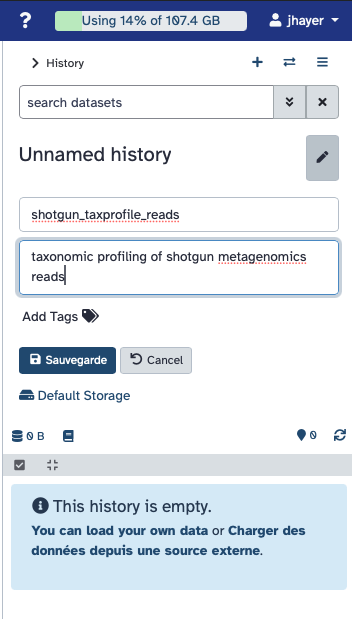
Retrieving the 4 datasets
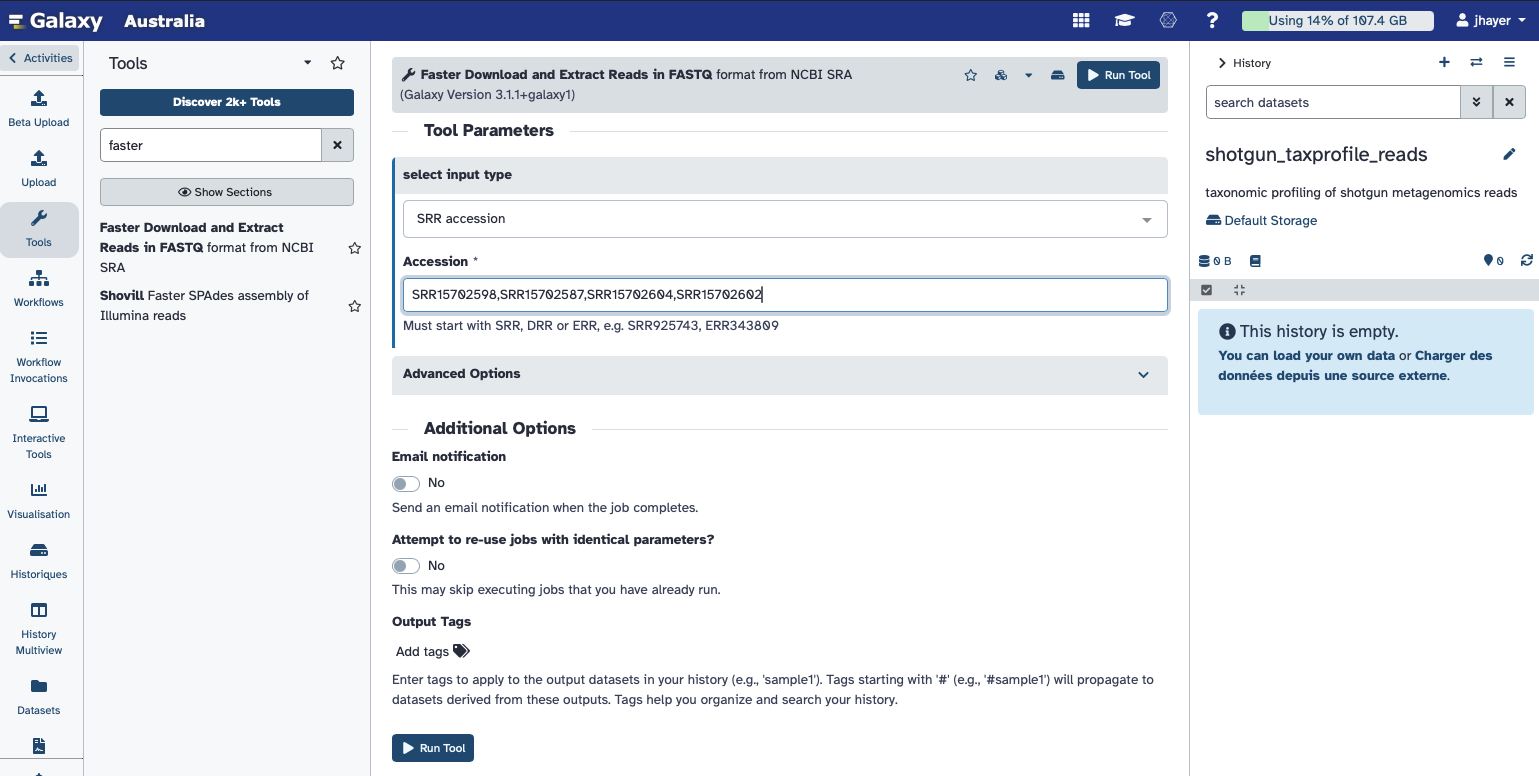
In Galaxy, you will retrieve the data by their accession numbers using the tool: Faster Download and Extract Reads in FASTQ
Give the following list of accession numbers: SRR15702598,SRR15702587,SRR15702604,SRR15702602
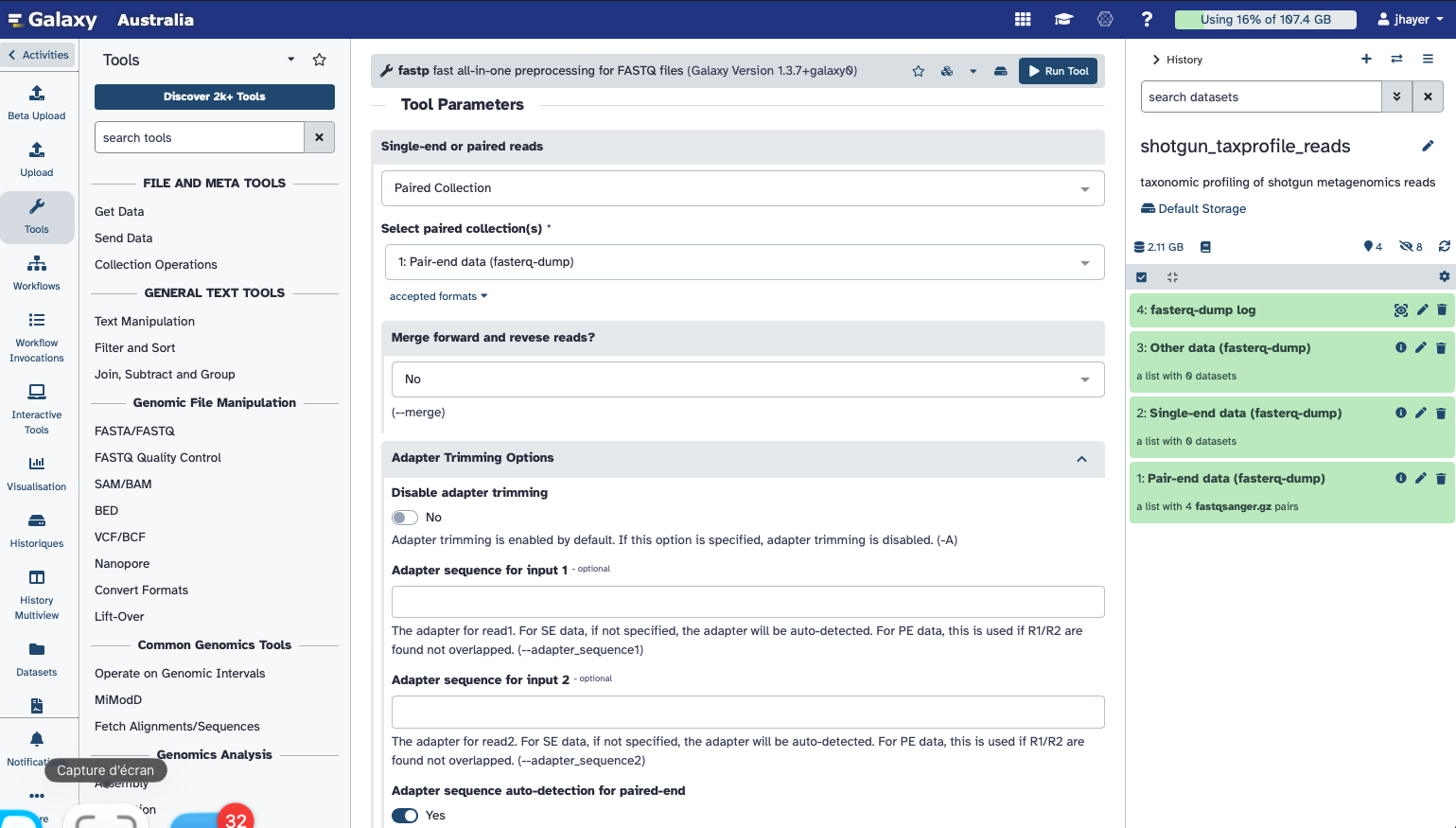
Quality control using fastp
As done previously during the QC tutorial, you will check the quality of the sequencing reads and trim the potential adapters.
Search for fastp in the Galaxy tools, select paired-end collection, and provide the collection of 4 paired datasets.
You do not need to change any option except setting Adapter sequence auto-detection for paired-end to Yes
Observe the fastp HTML report
How many reads where filtered?
Did fastp identify any adapters left?
How is the overall quality of these datasets?
kmer based taxonomic assignment of reads using Kraken2
To find out which microorganisms are present, we will compare the reads of the sample to a reference database, i.e. sequences of known microorganisms stored in a database, using Kraken2 Wood et al., 2019.
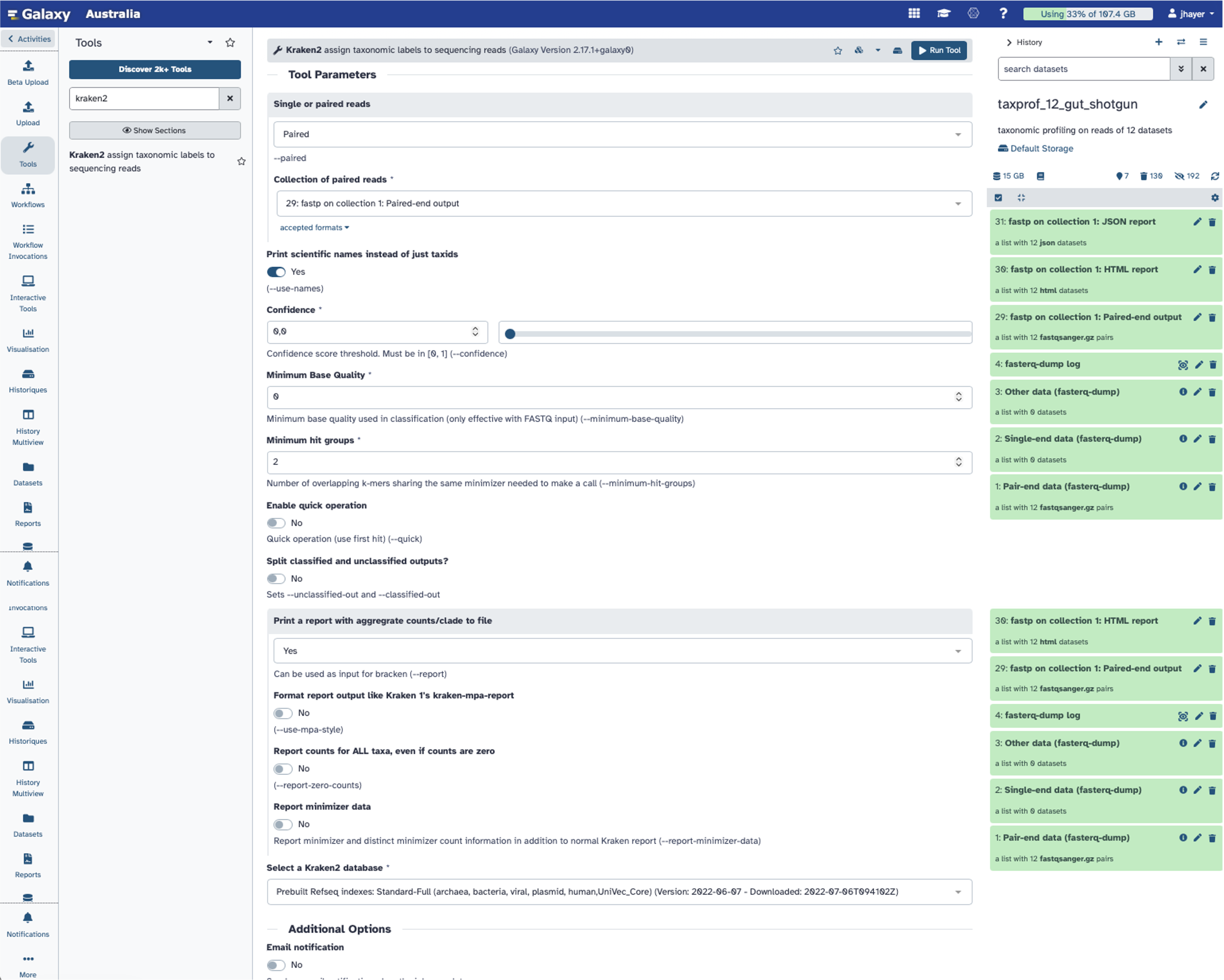
Search for Kraken2 tool, and select the paired collection as input.
You can set the parameter Print scientific names instead of just taxids to Yes.
Set Print a report with aggregrate counts/clade to file to Yes
For the database, select the Prebuilt Refseq indexes: Standard-Full (archaea, bacteria, viral, plasmid, human,UniVec_Core) (Version: 2022-06-07 - Downloaded: 2022-07-06T094102Z)
Then you can Run tool.
What kind of output do you get for each sample?
Inspect the kraken2 output files and reports.
Kraken2 will create two outputs for each dataset
Classification: tabular files with one line for each sequence classified by Kraken and 5 columns:
C/U: a one letter indicating if the sequence classified or unclassifiedSequence ID as in the input file
NCBI taxonomy ID assigned to the sequence, or 0 if unclassified
Length of sequence in bp (
read1|read2for paired reads)A space-delimited list indicating the lowest common ancestor (LCA) mapping of each k-mer in the sequence
For example,
562:13 561:4 A:31 0:1 562:3would indicate that:- The first 13 k-mers mapped to taxonomy ID #562
- The next 4 k-mers mapped to taxonomy ID #561
- The next 31 k-mers contained an ambiguous nucleotide
- The next k-mer was not in the database
- The last 3 k-mers mapped to taxonomy ID #562
|:|indicates end of first read, start of second read for paired reads
Report: tabular files with one line per taxon and 6 columns or fields
Percentage of fragments covered by the clade rooted at this taxon
Number of fragments covered by the clade rooted at this taxon
Number of fragments assigned directly to this taxon
A rank code, indicating
- (U)nclassified
- (R)oot
- (D)omain
- (K)ingdom
- (P)hylum
- (C)lass
- (O)rder
- (F)amily
- (G)enus, or
- (S)pecies
Taxa that are not at any of these 10 ranks have a rank code that is formed by using the rank code of the closest ancestor rank with a number indicating the distance from that rank. E.g.,
G2is a rank code indicating a taxon is between genus and species and the grandparent taxon is at the genus rank.NCBI taxonomic ID number
Indented scientific name
Column 1 Column 2    Column 3    Column 4    Column 5    Column 6
76.85    105397  105397  U   0   unclassified
23.15    31742   1197    R   1   root
22.20    30450   312     R1  131567  cellular organisms
12.58    17256   3768    D   2   Bacteria
8.77     12028   2868    P   1224    Proteobacteria
4.94     6779    3494    C   28211   Alphaproteobacteria
1.30     1782    1085    O   204455  Rhodobacterales
0.43     593     461     F   31989   Rhodobacteraceae
0.05     74  53  G   265     Paracoccus
Getting an overview of the assignation is not straightforward with the Kraken2 outputs directly. We can use visualisation tools for that.
Once we have assigned the corresponding taxa to each sequence, the next step is to properly visualize the data. There are several tools for that: - Krona - Pavian
Visualisation using Krona
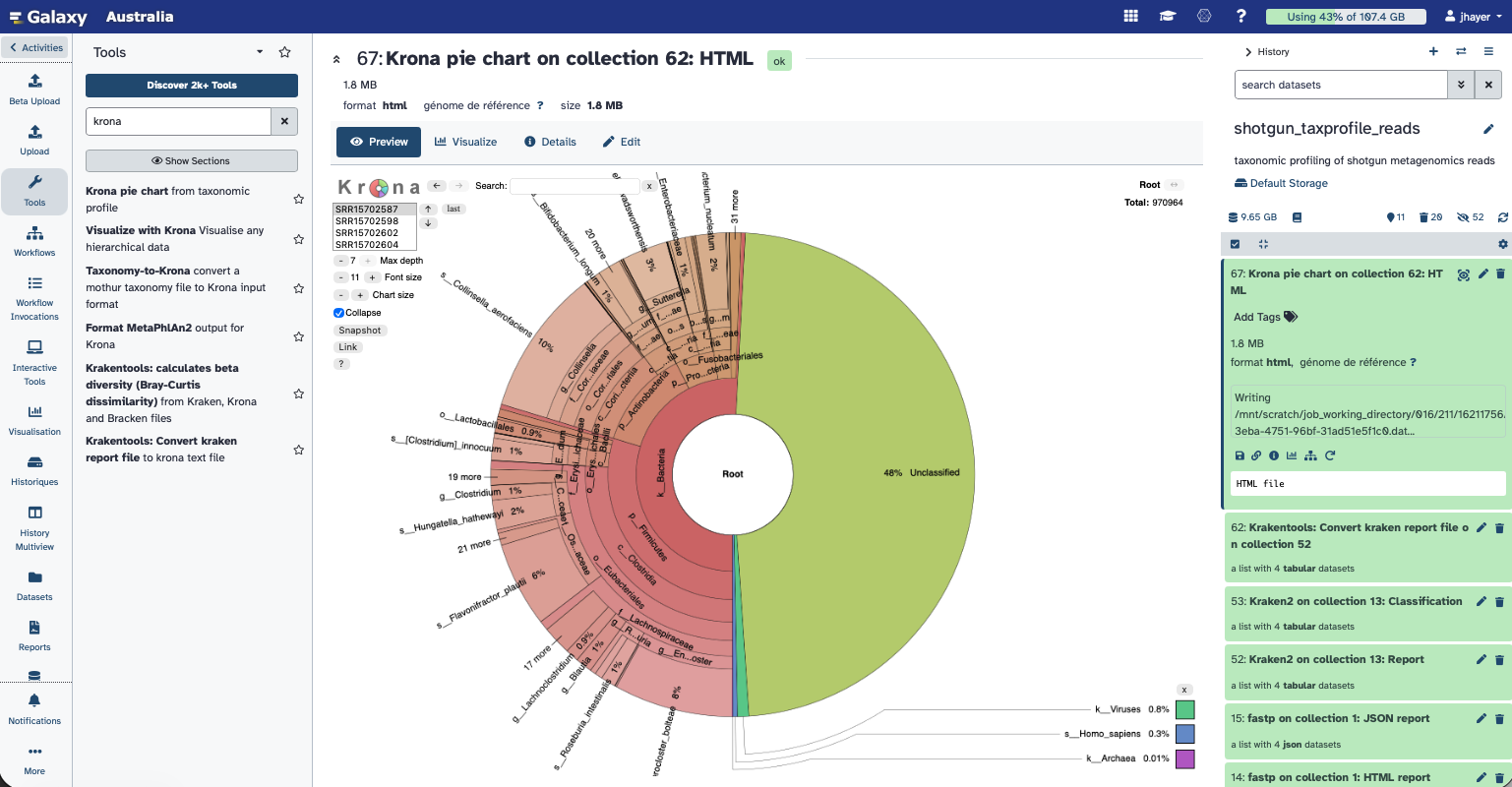
Krona creates an interactive HTML file allowing hierarchical data to be explored with zooming, multi-layered pie charts. With this tool, we can easily visualize the composition of the bacterial communities and compare how the populations of microorganisms are modified according to the conditions of the environment.
Kraken outputs can not be given directly to Krona, they first need to be converted.
Krakentools (Lu.2017 %) is a suite of tools to work on Kraken outputs. It include a tool designed to translate results of the Kraken metagenomic classifier to the full representation of NCBI taxonomy. The output of this tool can be directly visualized by the Krona Pie Chart tool.
Search for the tool Krakentools: Convert kraken report file to krona text file
“Kraken report file”: Report collection of Kraken reports
Now the output of Kraken2 are properly formatted and ready to be used by Krona.
Search for the tool Krona pie chartfrom taxonomic profile
Set the type to Tabular, and choose the collection of files just produced by KrakenTools
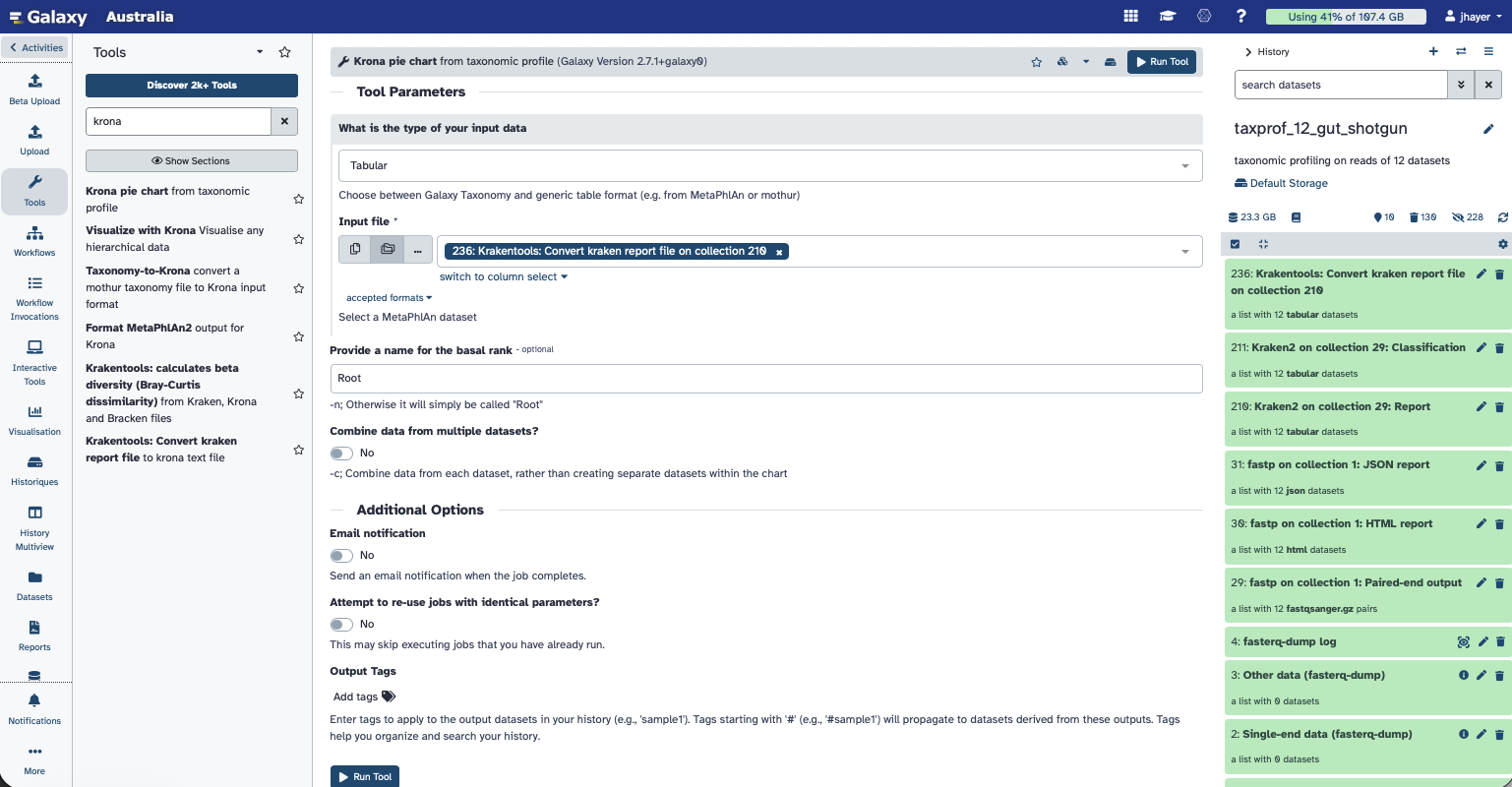
Inspect the Krona pie chart by viewing the HTML file produced.
Bracken: to re-estimate abundance at a taxonomic level from kraken output
A “simple and worthwile addition to Kraken for better abundance estimates” (Ye et al. 2019)[https://pmc.ncbi.nlm.nih.gov/articles/PMC6716367/] is called Bracken (Bayesian Reestimation of Abundance after Classification with Kraken). Instead of only using proportions of classified reads, it takes a probabilistic approach to generate final abundance profiles. It works by re-distributing reads in the taxonomic tree: “Reads assigned to nodes above the species level are distributed down to the species nodes, while reads assigned at the strain level are re-distributed upward to their parent species” Lu et al. 2017.
Search for the Bracken tool and provide the Kraken reports collection as input Set up the same database as the one used for the Kraken2 classification. Set Produce Kraken-Style Bracken report and Add log file output to Yes
The Bracken abundance results will allow us to compute alpha and beta diversity of our samples.
Once we know which taxons are present in a metagenomic sample, we can do diversity analyses.
Related to ecology, the term diversity describes the number of different species present in one particular area and their relative abundance. More specifically, several different metrics of diversity can be calculated. The most common ones are α, β and γ diversity:
- α diversity describes the diversity within a community
It considers the number of different species in an environment (also referred to as species richness). Additionally, it can take the abundance of each species into account to measure how evenly individuals are distributed across the sample (also referred to as species evenness).
β diversity compare the diversity between different communities by measuring their distance
γ diversity is a measure of the overall diversity for the different ecosystems within a region.
In a nutshell, taxonomic labels have been assigned to the metagenomics data using Kraken2 to find out which species are present in the samples. Finally, species abundance was estimated using Bracken. For this tutorial, we will use the output file of Bracken.
Krakentools: Calculates alpha diversity from the Bracken abundance estimation file
You need to select the collection of Bracken report (not kraken style, but the tabular abundance one) Select the Shannon index for computing the alpha diversity.
We will now compute the beta diversity based on Bracken abundances
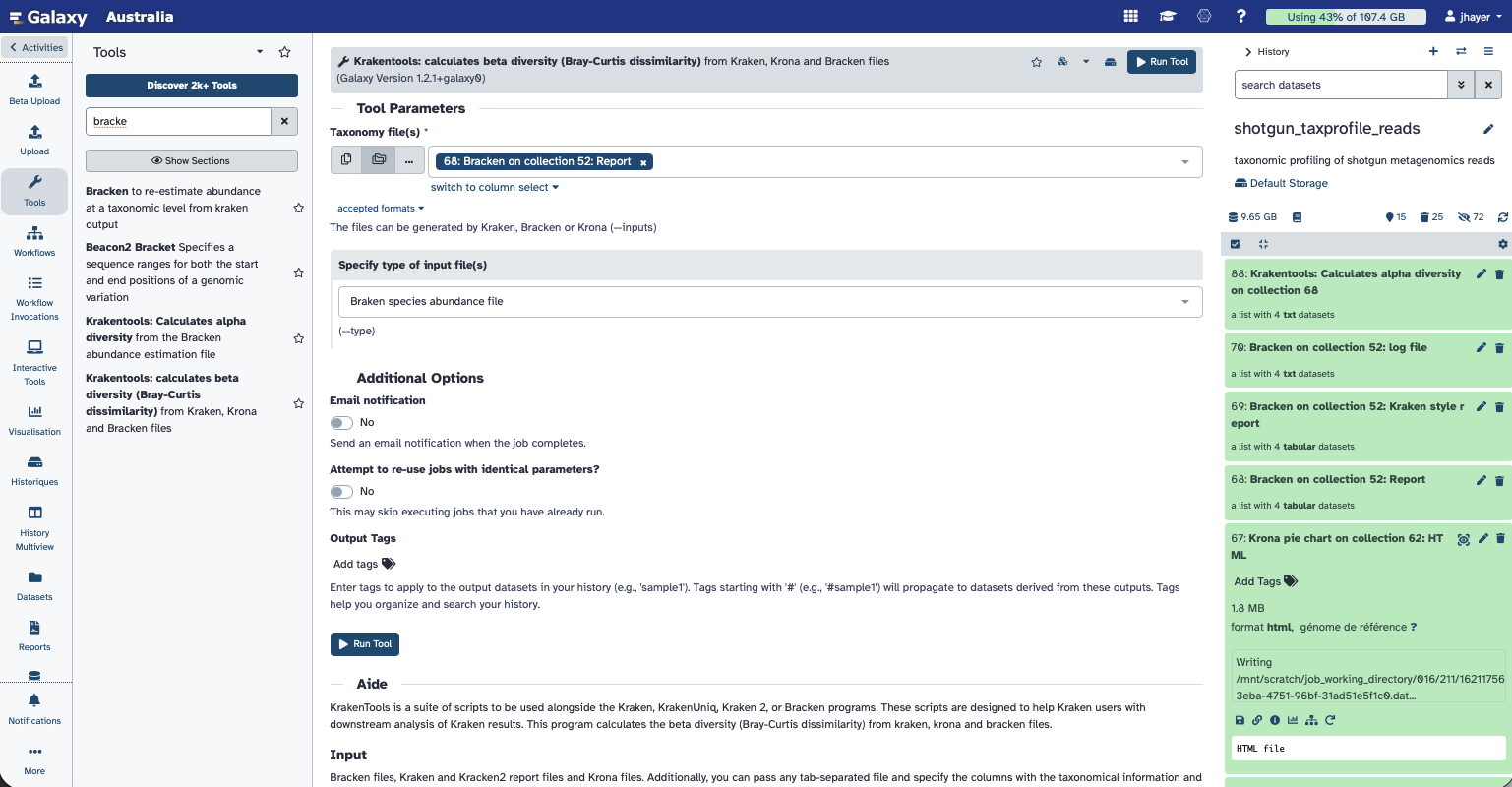
Krakentools: calculates beta diversity (Bray-Curtis dissimilarity) from Kraken, Krona and Bracken files
You need to select the collection of Bracken report (not kraken style, but the tabular abundance one) Select the Bracken species abundance files for as input file type.
You can read more about the calculation of α and β diversity on this Galaxy Training material, from which this current tutorial is inspired.
Diversity Analysis
If you want to do any analysis with 42 samples, you can find here the 42 samples metadata:
Click Upload → Paste/Fetch data and paste the following link:
https://raw.githubusercontent.com/jhayer/bioinfo_training_infectious_disease/main/data/mg_shotgun/shotgun_metadata.txt
Then you can convert the Braken report file into the BIOM format, than can be used for visualisation, with the tool Kraken-biom.
A BIOM (Biological Observation Matrix) file is a standard format for storing a table of counts, with samples in one dimension and observations (taxa, OTUs, or ASVs) in the other, along with their metadata.